Your website is your main point of contact to new clients, customers or employees in the digital age, and though design and content is important the fonts used on your professional websites can make a real difference in how it is perceived. They are the silent communicators that express professionalism and reliability, so it’s essential that you get them right.
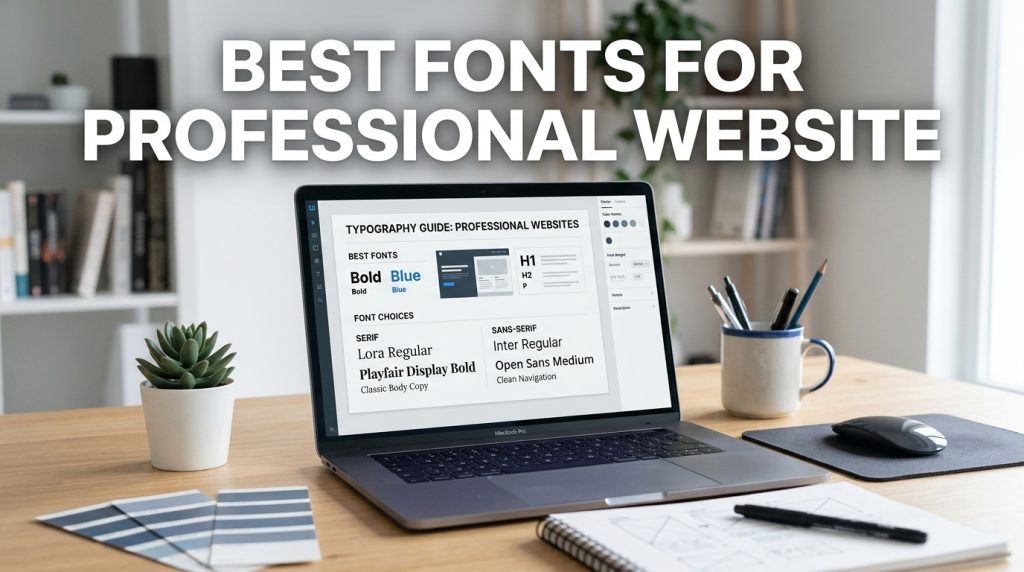
Font Choices for Professional Sites
What are Professional Websites?
When we say “professional websites“, we’re referring to online representations of individuals, companies, or organizations that are presented formally, credibly, and with a clear business purpose. It can be a sole consultant’s portfolio, an informative law firm’s website, or an e-commerce site selling luxury items or an up-and-coming tech startup’s corporate landing page. What distinguishes them from personal blogs and hobby sites is their purpose – these sites are created to assert authority, build trust, and encourage some form of business engagement, be it through lead generation, sales or by promoting skills and expertise. Essentially, they are intended to present a competent, reliable and professional image.
A professional websites is a communication tool whose purpose is to convey value and professionalism. While personal blogs or hobbyist sites don’t necessarily need to project this professionalism (as they’re more informal), professional websites can directly influence revenue, reputation, and career success. Thus, every single design element used on such sites must be considered carefully in relation to conveying a professional brand. A well-designed professional website will inspire confidence in its users, thereby encouraging them to engage with the service or product being offered, while a poorly designed website will likely induce distrust, even if the actual offering is of high quality.
To conclude, a professional websites can be likened to a digital storefront, a business card on the internet and a direct line to those who would consider using your service. Thus, it must be approachable, informative, and attractive in appearance. Font choice, in particular, is vital in the construction of a professional websites as it contributes to the readability of the content, the character of the brand and the user’s overall experience.
Why Font Choices are Important for Professional Websites
Typography plays a massive role in a professional websites and is often overlooked by most business owners. Fonts are your brand’s voice. The right typeface can convey sophistication, modernity, reliability, or innovation, based on the specific industry you’re in and the brand you have established. The wrong font, on the other hand, can undermine all other efforts in your professional websites, making it seem outdated, unprofessional, and unreadable. If you would consider your wear in a business meeting and think about the statement it makes to be professional; it is no different with font choice in a professional websites, where the fonts state the professionalism of the brand before anyone reads a word of content.
Readability is key in almost any font use on a website, but in professional websites it is of increased importance. Your website visitor is likely looking for something specific and if they are not easily able to read the headings, scan over the body text and determine which calls to action and links lead to the intended place they can find what they are looking for, your visitor will quickly grow frustrated and leave. Lost leads, missed sales opportunities, and a damaged brand are the outcomes of poor readability and can result from an improper font selection for your professional websites.
In addition to making text readable, font is a crucial element of branding and emotional connection. Consistent font selection throughout your website, social media sites, and marketing efforts will make your brand much more recognizable and memorable. Different font types have different emotional responses connected with them; for example serif typefaces are often seen as traditional and trustworthy, whereas sans-serif typefaces can feel more modern and friendly. Strategic selection of typefaces can have a significant positive impact on a professional website by connecting the viewer with your brand on an emotional level.
A Step-by-Step Guide to Choosing Fonts
The first and foremost thing is to understand your brand and audience. Before you begin to explore fonts you should ask yourself the question-What is my brand personality? I want to evoke a sense of trustworthiness and reliability or is the brand personality more futuristic and modern? Who is my target audience? What do I want them to expect when they visit my professional website? When you get the answer for these two questions, it’ll give you a clear vision as to which font family best suits your website and its goal. For example, a law firm might use serif fonts which are very traditional, whereas a design agency might use fonts that are more vibrant and expressive.
The next stage is to explore the font families. There are typically two types of fonts-Serif and Sans-serif. Serif fonts are usually characterized by the presence of small flourishes on the ends of strokes. They are perceived to be traditional, graceful, and easier to read in long passages of text. Familiar examples include Times New Roman or Georgia. On the other hand, Sans-serif fonts lack those little decorative bits and thus have a clean and a modern look to them. Examples include Arial, Helvetica, Open Sans etc. For professional sites it is better to restrict yourself to these two types of fonts, as decorative or script fonts may look appealing but are generally considered less readable for text.
Lastly, choose appropriate fonts and decide on a hierarchy. The best thing is to not use more than two fonts in your professional website, i.e. One for headlines and another one for the main text of the page. This provides visual appeal and establishes a hierarchy. A good combination is usually one where headlines use slightly bolder, more expressive fonts (say, the Sans-serif one, or maybe a slightly bolder variant of a particular serif font) and body text uses a more serene and clean font, which might be a simple Sans-serif or a clear serif font. Test these two fonts on different screen types. Do not hesitate to use font weights (bold, light, etc.) to make your text more readable and highlight certain areas of the content.
Elevate Your Professional Website With Fonts
Understanding Font Classifications for Professional Use
To begin with typography for professional websites, it’s important to be aware of basic types of fonts. Most common you will find is Serif or Sans-Serif type families. Serif fonts are, put simply, fonts which have small decorative strokes (serifs) that extend from the ends of the larger strokes of letters. Serifs are traditional, feel established and often have a feel of authority, trust, gravitas or elegance. Just think of traditional fonts you see in books or newspapers – designed to be read for extended periods. For professional web-sites serifs provide sense of tradition and credibility. These fonts are great choice for legal or financial companies, academia etc.
Sans-Serif fonts are simply, as name suggest, “without serifs”. Those type faces have simple, clear letters with no decorative additions to their shape. Their style is often described as more friendly, modern, and less formal and complicated, which makes them ideal choice for websites if you are looking for modern and minimalist image. Those typefaces are very versatile and have been shown to work better on screens for digital purposes than serif fonts as they remain clear and readable on screen sizes from the biggest desktops to the smallest of mobile screens. They are used in tech businesses, start ups, orany industry that wishes to achieve modern image and clear style. They are commonly used as subheadings, headings, or even body texts.
In addition to Serif and Sans-Serif, you may also hear about Display or Script type families. However, these types have been generally excluded from usage on professional web-sites. Display type fonts are stylized and intended to be used on big text size, in headings and logos for instance. Generally not suitable for text content, because they are complicated, or simply too decorative and difficult to read. Script typefaces look like handwritten words, hence are far too informal, and not very readable in bulk amount of text. In case of professional web-sites it’s important to be aware of Serif and Sans-Serif family types of fonts.
Practical Font Pairings for Professional Websites
Making good font pairings can really help to improve both the look and readability of your professional website. The objective of creating effective font pairings is to find fonts for your headings and body copy that work well together without detracting from each other’s functions. A great and classic technique is to contrast more visually interesting display fonts with simple, highly readable body text fonts. For example, an eye-catching, strong sans-serif like Montserrat or Lato could be used for your headlines and headings and then a simpler, highly legible sans-serif like Open Sans or Roboto for the rest of the copy. This contrast will allow for easy visual distinction between important messages.
Another excellent and classic option involves pairing either a serif with a sans-serif for the respective headings and body text (or vice-versa). For instance, one could contrast a classic serif like Merriweather or Playfair Display with a modern, simple sans-serif such as Nunito or Source Sans Pro to promote both tradition and modernity on your site, respectively. When working with these different classifications, one must remember that the “feel” of both fonts needs to be complementary as opposed to competing, which may involve choosing fonts of a similar “weight”.
No matter what pairing strategy you choose, it is important to remember that all font choices will look better on your actual website than in a previewer. Ensure that your selected fonts look good at different sizes, on various devices, and against both light and dark backgrounds. Also remember to fine tune letter-spacing and leading.
Join our Reddit Community
Connect with other users, share your feedback, and stay updated with the latest news and features of SuperHumanizer.Join r/SuperHumanizer
The Only AI Humanizer You Need to Humanize AI Text
SuperHumanizer rewrites the content generated from AI tools such as ChatGPT, Claude, Gemini, Jasper or any other AI tool so that the text is no longer detectable and it is similar to humans. SuperHumanizer AI is driven by our most powerful humanization engine that we’ve been thoroughly testing to create SuperHumanizer AI. Latest technologies are used in the engine to maintain the original context and rewrite the text. Humanize Now!
Why Should You Humanize AI Text?
Humanizing AI text matters for various reasons.
- •Bypass AI Detectors: Humanized text can easily pass AI detection tools like Turnitin, GPTZero, and Originality.ai.
- •Improve Readability: AI-generated content often feels robotic. Humanizing makes it more engaging and easier to read.
- •Maintain Authenticity: Humanized text sounds natural and authentic, which helps build trust with your audience.
- •Enhance SEO: Search engines favor content that reads naturally and provides value to users.
101001101101AI TextHuman Text
How to Humanize AI Text with SuperHumanizer?
Using SuperHumanizer is very quick and effortless. Here’s how you can use our free Text humanizer:
1
Visit our AI Humanizer online tool.
2
Input your text into the provided field. You can do this by typing the text manually or pasting the text with a single click on the “Paste” button.
3
Next, choose one of the humanizing modes, Super Lite or Super Ultra.
4
Click the “Humanize” button and wait for the output to appear.
5
In just seconds, our AI Humanizer will provide you with a refined version that keeps the original meaning while improving flow and tone.
How Our AI-to-Human Text Converter Works
We designed this AI-to-Human Text Converter to make AI content read like it was written by a human while helping it bypass AI detectors. Here’s how it humanizes AI text.
- •Break AI patterns and reshape repetitive structures.
- •Remove robotic language and replace it with simple vocabulary.
- •Improve sentence flow to make the text smooth and easy to read.
- •Fix spacing issues and clear hidden or extra spaces.
- •Remove filler text and cut unnecessary repetition.
- •Vary sentence length to avoid monotony.
INPUTPattern AnalysisRefinementQuality CheckOUTPUT
Key Features of Our AI Text Humanizer
Instant Results
Humanize up to 5,000 words in seconds. No sign-up needed. It’s completely free to use.
Context-Based Accuracy
It rewrites content with high accuracy, always keeping the context and meaning intact.
Dual Humanizing Modes
Our AI humanizer offers two different modes: Super Lite for quick humanizing and Super Ultra for deep humanization.
Built-in AI Content Detector
Check AI scores instantly with SuperHumanizer’s own detector trained on millions of samples.
Undetectable AI
Text generated by our AI humanizer is undetectable by AI detection tools.
Unlimited and Free to Use
Humanize up to 5,000 words per run, with no limits – always free to use.
No Signup or Registration
Just visit, paste your text, and humanize; no account is required.
Works on All Devices
You can use our humanizer on all devices and browsers seamlessly.
Privacy First
None of your information is shared or sold to any third party.
What Makes SuperHumanizer Different?
SuperHumanizer stands out from other tools because it’s built for accuracy, reliability, and truly human-like output. Here’s what makes our text humanizer different.Performance Comparison100%75%50%25%Other Tools45%Basic Humanizers68%SuperHumanizer AI97%Success Rate in Bypassing AI Detection
Two Powerful Modes
Our text humanizer gives you flexibility with two modes. Super Lite humanizes AI text in a single step for quick results. Super Ultra validates the output in the background to ensure it meets strict quality standards before showing it in the editor.AI TEXTSUPER LITEQuick PolishSUPER ULTRADeep RewriteHUMANIZEDHUMANIZEDRESULT
Trained on Quality Data
Our AI text converter has been trained on over 15 million human-written samples. From these, we carefully selected 1 million high-quality texts to build the foundation. The training datasets and models are regularly tested and updated for even better performance.15M SAMPLESHuman-Written TextsFILTERING1M SELECTEDBest Quality TextsAI MODELTrainingIn Progress
Who Should Use Our AI to Human Text Converter?
Our AI text humanizer is perfect for anyone who wants their content to sound natural and authentic, especially:
- •Content creators and bloggers can use it to refine AI-generated drafts into engaging, human-like articles.
- •Marketers and copywriters can use it to transform robotic copy into persuasive writing, thereby avoiding AI content detection.
- •Website owners and SEO professionals can utilize it to enhance readability, decrease bounce rates, and improve rankings.
- •Business professionals can make their emails, reports, and presentations more natural and engaging.
- •Students and academics can use it to understand and practice writing that is clear and authentic.
With SuperHumanizer, anyone can turn AI-generated text into writing that feels truly human.
FAQs
What is SuperHumanizer?
How accurate is SuperHumanizer?
Why Humanize AI with SuperHumanizer?
Can I humanize AI text on mobile devices?
Will this Humanizer change the meaning of text?
At SuperHumanizer, we are a team of AI engineers, developers, and content writers. We built Superhumanizer after years of research and testing. We aim to help users humanize AI with our technology to make content writing great again.
© 2025 Superhumanizer.ai. All rights reserved.
Information
Resources
Tips and Best Practices for Font Selection
For your professional website, readability should be paramount. Choose fonts with distinct letterforms that are easily distinguishable from each other, even at small sizes. Generally avoid thin or condensed body text fonts, which can be difficult to read through. Look for a good x-height; larger x-height often indicates greater readability. Make sure that the font family contains all the characters you’ll need; check if the character set contains any special symbols or accented characters you may require for an international audience.
Aim for minimal font usage. Using too many fonts on a website will result in a messy and unprofessional appearance. For most professional sites one or two font families should be the maximum. It will create a consistent, cohesive and professional appearance. If two fonts are used they should work harmoniously together. A good strategy is often a display font for headlines and a clean, easy-to-read body text font. Try using different weights (e.g., regular, bold, semi-bold) in your chosen font families for emphasis and hierarchy instead of introducing another font.
Think about the emotions and associations your fonts project and how they align with your brand. For a law firm you may want a stable and traditional serif, or for a creative agency, a more contemporary and distinctive sans-serif. Test out the fonts and get opinions from others; “professional” can mean different things to different people and you want to appear so to your intended audience. Ensure that your font choice reflects your brand, logo, etc. And creates a unique and consistent professional identity.
Common Mistakes to Avoid
One of the most frequent pitfalls when choosing fonts for professional websites is overusing decorative or novelty fonts. While these might seem eye-catching, they can quickly undermine your credibility. Fonts that mimic handwriting, have excessive flourishes, or are highly stylized are generally inappropriate for business contexts because they can be difficult to read and often convey a lack of seriousness. For instance, using a script font for your main headings or body text will likely make your site appear unprofessional and deter visitors who are seeking reliable information or services.
Another common error is neglecting font pairings and hierarchy. Many websites end up with a jumble of unrelated fonts, or they use the same font for everything, leading to a monotonous and unengaging experience. This lack of visual structure makes it hard for visitors to navigate and digest information. For example, if your headings and body text are too similar in size and weight, users might struggle to quickly scan the page and find what they’re looking for. A well-defined hierarchy, achieved through contrasting font styles, sizes, and weights, is essential for guiding the user’s eye and improving comprehension.
Lastly, many professionals overlook the crucial aspect of readability and accessibility. Choosing fonts that are too small, too light, or have poor contrast against the background can create significant accessibility issues, alienating a portion of your audience. Similarly, fonts that are not optimized for digital screens can appear pixelated or blurry, leading to eye strain. For example, using a very thin font for body text on a white background can be incredibly difficult for many people to read, especially for extended periods, leading to a poor user experience and potential loss of business.
Conclusion
Selecting the appropriate fonts for your professional website is an intentional choice that affects how you are perceived, trusted and experienced by your customers. Through understanding classification of fonts, the principles of combining them wisely, as well as adopting good practices, you will ensure your online appearance is not only pleasing on the eye but also functional and effective. Always remember that typography acts as a quiet representative of your business and deserves the time needed for it to make a clear statement about your professionalism and dedication to detail. The right font is a powerful but subtle asset which sets apart your professional website in the digital space.
FAQ
Q1: How many fonts should I use on my professional website?
For most professional websites, it’s best to stick to a maximum of two font families. One for headings and another for body text is a standard and effective approach. This creates consistency and avoids a cluttered, unprofessional look.
Q2: Are serif or sans-serif fonts better for professional websites?
Both can be excellent, depending on your brand. Serif fonts (like Georgia, Merriweather) often convey tradition, trustworthiness, and authority, making them suitable for legal, financial, or academic sites. Sans-serif fonts (like Open Sans, Lato) are modern, clean, and highly readable on screens, making them ideal for tech, creative, or general business sites. The key is to choose one that aligns with your brand’s personality.
Q3: How can I ensure my chosen fonts are readable on all devices?
Always test your fonts on various devices (desktops, tablets, smartphones) and screen sizes. Use responsive design principles to ensure text scales appropriately. Choose fonts known for their legibility across different resolutions. Look for fonts with clear letterforms and adequate spacing. Avoid extremely thin or condensed fonts for body text.
Q4: Should I use free or paid fonts for my professional website?
Both free and paid fonts can be professional. Many free fonts from sources like Google Fonts are high-quality and widely used. Paid fonts often offer more unique designs, wider character sets, and better licensing options, which can be beneficial for larger businesses or specific branding needs. The quality and suitability for your brand are more important than the price.