WordPress vs. Custom: Weighing Your Options
Choosing between a WordPress vs custom website is a fundamental decision that will shape your online presence. It’s not just about aesthetics; it’s about functionality, scalability, cost, and how much control you want over every single detail. Understanding the core differences between these two approaches is crucial for making an informed choice that will benefit your project in the long run.
What is a WordPress Website?
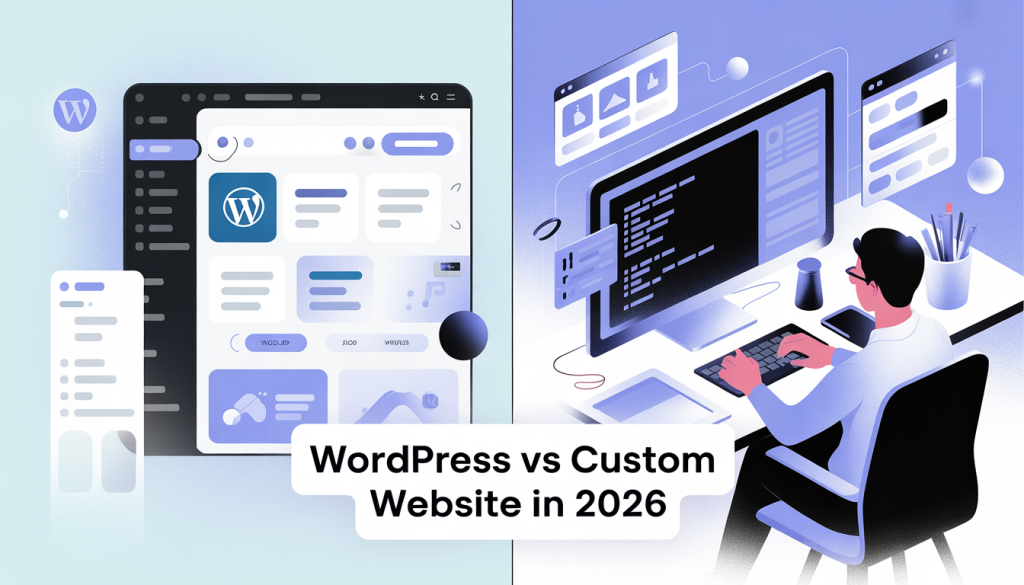
At its heart, WordPress is a Content Management System (CMS). Think of it as a powerful, yet user-friendly, framework that makes building and managing websites much more accessible. It’s an open-source software, meaning it’s free to use, modify, and distribute. WordPress powers over 40% of all websites on the internet, from small personal blogs to massive corporate sites, a testament to its versatility and widespread adoption.
The beauty of WordPress lies in its vast ecosystem of themes and plugins. Themes control the visual design and layout of your website, offering thousands of pre-designed options to choose from. Plugins are like add-ons that extend the functionality of your site, allowing you to add features like e-commerce capabilities, contact forms, SEO optimization tools, and much more without needing to write a single line of code. This makes WordPress incredibly adaptable and shows wordpress vs custom.
What is a Custom Website?
A custom website, on the other hand, is built from the ground up, specifically for your unique requirements. Instead of relying on pre-built themes and plugins, a team of developers writes all the code from scratch. This means every single element, from the user interface to the backend functionality, is designed and implemented according to your exact specifications. It’s like commissioning a tailor-made suit versus buying one off the rack.
This bespoke approach offers unparalleled flexibility and control. If you have a highly specific vision, unique features, or complex integrations that off-the-shelf solutions can’t easily accommodate, a custom website is often the way to go. It allows for a completely unique user experience and can be optimized for peak performance and specific business processes and shows wordpress vs custom website.
Why is the Choice Important?
The decision between WordPress and a custom website is more than just a technical one; it’s a strategic one with long-term implications. Your website is often the first point of contact for potential customers, clients, or readers. Its performance, user experience, and ability to achieve your business objectives directly correlate with its underlying architecture and how it was built.
A poorly chosen platform can lead to frustration, wasted resources, and ultimately, a website that doesn’t meet your needs. For instance, if you need a highly specialized e-commerce platform with unique inventory management and checkout processes, trying to force that into a standard WordPress setup might lead to a clunky, inefficient, or even broken experience. Conversely, opting for a full custom build for a simple blog would be an unnecessary expense and time commitment.
Building Your Online Dream: Which Path to Take?
Now that we’ve established what each option entails, let’s delve into the practicalities of choosing the right path for your project. This involves considering your budget, your technical expertise, your timeline, and your long-term vision for your website. There’s no single “better” option; it’s about finding the best fit for your specific circumstances.
Step-by-Step Guide to Choosing
-
Define Your Goals: Before anything else, clearly articulate what you want your website to achieve. Is it to sell products, generate leads, share information, build a community, or showcase a portfolio? Your goals will heavily influence the required features and functionalities.
-
Assess Your Budget: This is often a deciding factor. WordPress, with its free core software and a vast array of affordable themes and plugins, can be significantly more budget-friendly, especially for smaller projects or those with limited initial investment. Custom websites, due to the extensive developer time involved, typically come with a much higher upfront cost.
-
Consider Your Technical Skills: Are you comfortable tinkering with settings, installing plugins, and making minor design adjustments? If so, WordPress can be a great DIY option. If you have zero technical inclination or prefer to leave all the technical heavy lifting to professionals, a custom build might seem appealing, but remember that even custom sites require ongoing management.
-
Evaluate Your Timeline: How quickly do you need your website to be live? A WordPress site, especially if you use a pre-made theme and readily available plugins, can be launched much faster than a custom-built solution, which requires design, development, and testing phases.
-
Think About Scalability and Future Needs: Will your website need to handle a lot of traffic? Do you anticipate needing complex new features down the line? Both platforms can scale, but the way they scale and the associated costs can differ. WordPress can scale well with the right hosting and optimization, while custom builds are inherently designed for specific scaling needs and shows wordpress vs custom website.
WordPress: The Pros and Cons
WordPress offers a compelling package for many users, but it’s not without its drawbacks. Understanding these will help you decide if it aligns with your project’s demands and which shows wordpress vs custom website.
Pros of WordPress:deepanshubisht.in
-
Cost-Effective: The core WordPress software is free. While you’ll need to pay for hosting, a domain name, and potentially premium themes or plugins, the overall cost is generally much lower than a custom build and shows wordpress vs custom website.
- User-Friendly: With its intuitive dashboard and vast community support, WordPress is relatively easy for beginners to learn and manage. You can update content, add new pages, and even change your site’s look without needing to code.
- Vast Theme and Plugin Ecosystem: Thousands of professionally designed themes and functional plugins are available, allowing you to achieve almost any design or feature set without custom development. This significantly speeds up the development process.
- Large Community and Support: Being the most popular CMS, WordPress has a massive global community. This means abundant tutorials, forums, and professional developers available for support which shows wordpress vs custom website. .
- SEO Friendly: WordPress is built with SEO best practices in mind, and with the help of plugins like Yoast SEO or Rank Math, you can easily optimize your content for search engines.
- Flexibility: While not as infinitely flexible as custom, WordPress can be extended significantly with plugins and even custom coding if needed, making it suitable for a wide range of website types shows wordpress vs custom website.
Cons of WordPress:
- Potential for Plugin Conflicts: Installing too many plugins, or incompatible ones, can sometimes lead to conflicts, slowing down your site or causing errors.
- Security Vulnerabilities: Due to its popularity, WordPress can be a target for hackers. While the core software is regularly updated for security, relying on outdated themes or plugins can create vulnerabilities. Regular maintenance and security plugins are essential.
- Performance Can Suffer: If not properly optimized (e.g., with good hosting, caching, and image optimization), a heavily customized WordPress site with many plugins can become slow.
- Design Limitations (with themes): While themes offer variety, achieving a truly unique, “never-before-seen” design might require extensive customization or a premium theme that’s close to your vision.
- Learning Curve for Advanced Customization: While basic use is easy, digging into advanced customization, custom theme development, or complex plugin integration can still require technical knowledge which shows wordpress vs custom website.
Custom Website: The Pros and Cons
A custom website offers the ultimate in control and uniqueness, but this comes at a price.
Pros of a Custom Website:
- Unparalleled Uniqueness and Branding: Your website will be a true reflection of your brand, with every design element and user flow meticulously crafted to your specifications. This can create a powerful and memorable online identity.
- Tailored Functionality: If you have very specific requirements for how your website should work, such as complex integrations with existing systems, unique e-commerce features, or specialized user portals, a custom build is the most effective way to achieve this.
- Optimized Performance and Scalability: Custom websites can be built with performance as a top priority from the ground up, ensuring they are lean, fast, and can scale efficiently to handle high traffic loads or future growth.
- Enhanced Security: Because the codebase is unique and not publicly available like WordPress, custom sites can be inherently more secure, as they don’t have the common vulnerabilities associated with widely used platforms.
- Full Control: You have complete control over every aspect of your website’s design, functionality, and data. There are no third-party plugins or themes dictating limitations.
- Long-Term Cost Savings (Potentially): While the upfront cost is higher, a well-built custom site that perfectly meets your needs can sometimes lead to lower long-term maintenance costs and better ROI if it significantly drives business goals and shows wordpress vs custom website.
Cons of a Custom Website:
- Higher Upfront Cost: This is the most significant barrier for many. Developing a custom website from scratch requires significant investment in skilled developers, designers, and project management.
- Longer Development Time: The process of designing, developing, testing, and launching a custom website is considerably more time-consuming than setting up a WordPress site.
- Requires Technical Expertise for Changes: If you want to make significant changes or add new features down the line, you’ll likely need to hire developers again, as you won’t have the user-friendly interfaces that WordPress provides.
- Finding the Right Development Team: Hiring a reliable and skilled development team is crucial but can be challenging. A poor team can lead to a poorly executed product.
- Ongoing Maintenance Costs: While you have full control, ongoing maintenance, updates, and bug fixes will still require developer input, which can be costly and which shows wordpress vs custom.
Practical Examples: When to Choose Which
-
For a Small Business or Blogger: If you’re a local bakery, a freelance photographer, or a personal blogger who needs a professional-looking website to showcase your work, list your services, and perhaps accept inquiries, WordPress is likely your best bet. You can find a beautiful theme, use plugins for contact forms and SEO, and manage it yourself with relative ease. For example, a photographer might use a WordPress theme designed for portfolios and a plugin to create an online booking system and shows wordpress vs custom website.
-
For an E-commerce Store with Unique Needs: If you’re launching an online store that sells highly specialized products, requires complex inventory management, custom shipping calculations, or a unique checkout experience that deviates from standard e-commerce platforms, you might lean towards a custom website. For instance, a company selling custom-built industrial equipment might need a configurator tool on their website that isn’t readily available as a plugin.
-
For a Growing Startup or SaaS Company: If you’re building a software-as-a-service (SaaS) product with a custom user dashboard, integrations with other platforms, and a need for highly scalable infrastructure from day one, a custom website could be more appropriate. This allows for a seamless user experience and the ability to build precisely the features your users demand. However, many successful SaaS companies also start with WordPress and migrate or extend as needed and shows wordpress vs custom website.
-
For a Non-Profit Organization: A non-profit often needs to showcase their mission, accept donations, list events, and share news. WordPress excels here with themes tailored for non-profits and plugins for donation collection and event management, all while keeping costs manageable.
Tips and Best Practices for Your Decision
- Don’t Over-Engineer: For many, the simplest solution that meets your core needs is the best. Avoid the temptation to build a complex custom solution if a well-configured WordPress site will suffice.
- Think Long-Term: Consider where you see your website and business in 3-5 years. Will your chosen platform be able to grow with you?
- Research Developers Thoroughly (for Custom): If you opt for a custom build, interview multiple development agencies, review their portfolios, and check references. A good partnership is key.
- Budget for Maintenance: Regardless of your choice, websites require ongoing maintenance, security updates, and content refreshes. Factor this into your overall budget.
- Consider a Hybrid Approach: Sometimes, a hybrid approach can be effective. You might use WordPress as your CMS for content and blogging but integrate custom-built features or modules for specific functionalities.
Common Mistakes to Avoid
- Choosing based solely on price: The cheapest option isn’t always the best. A cheap custom build done poorly can be worse than a well-executed WordPress site.
- Ignoring your target audience: Your website should be built with your users in mind. What are their needs and expectations?
- Not planning for scalability: Building a site that can’t handle growth can lead to significant problems down the line.
- Underestimating the importance of SEO and security: These are crucial for any website’s success and require ongoing attention.
- Failing to define clear goals: Without knowing what you want to achieve, it’s impossible to choose the right tools to get there.
Conclusion
Ultimately, the
debate doesn’t have a single winner. Both platforms offer distinct advantages. WordPress shines for its affordability, user-friendliness, rapid deployment, and vast ecosystem, making it an excellent choice for a wide range of users, from individuals to small and medium-sized businesses. It provides a powerful foundation that can be extended and customized to meet many needs.
On the other hand, and shows wordpress vs custom website is the ideal solution when you require absolute uniqueness, highly specific functionalities, and complete control over every aspect of your online presence. It’s a significant investment but can deliver unparalleled results for complex projects or businesses with very niche requirements that off-the-shelf solutions simply cannot fulfill.
Your decision should be guided by a thorough understanding of your project’s goals, budget, technical capabilities, and long-term vision. By carefully weighing the pros and cons of each approach, and considering practical examples, you can confidently choose the path that will best empower your online dream and shows wordpress vs custom website.
Frequently Asked Questions (FAQ)
Q1: Can I start with WordPress and later migrate to a custom website if needed?
Yes, absolutely. Many businesses begin with WordPress to establish an online presence quickly and affordably. As their needs evolve and become more complex, they might migrate to a custom solution or integrate custom-built components with their existing WordPress site. This phased approach can be a smart strategy for managing resources.
Q2: How much does a custom website typically cost compared to a WordPress website?
The cost difference is substantial. A basic, well-designed WordPress website can cost anywhere from a few hundred to a few thousand dollars (including hosting, theme, and essential plugins). A custom website, on the other hand, can range from $10,000 to $100,000+ depending on the complexity, features, and the development team’s rates.
Q3: Is WordPress secure enough for an e-commerce business?
Yes, WordPress can be very secure for e-commerce, especially with the right precautions. You’ll need to use reputable e-commerce plugins (like WooCommerce), ensure your hosting is secure, keep your WordPress core, themes, and plugins updated, and consider security plugins and SSL certificates. However, for highly sensitive transactions or extremely large-scale operations with unique security demands, a custom solution might offer an extra layer of tailored security.
Q4: What if I have a great idea for a unique feature, but I’m on a tight budget?
If you have a unique feature idea but a limited budget, consider starting with WordPress and using plugins that offer similar (though perhaps not identical) functionality. You can also look for developers who specialize in custom WordPress plugin development; this is often more affordable than a full custom website build and can integrate seamlessly with your WordPress site.
Q5: How do I know if I need a custom website or if WordPress is sufficient?
Ask yourself:
- Are there readily available themes and plugins that can fulfill my design and functionality needs?
- Can I achieve my core business goals with existing tools?
- Is my budget a primary constraint?
If the answers lean towards “yes,” WordPress is likely sufficient. If you find yourself constantly needing to bend existing solutions to fit unique requirements, or if you have complex integrations and a budget to match, then a custom website might be the better long-term investment and shows wordpress vs custom website.