Introduction
If you’ve ever wondered why some apps feel effortless to use while others make you want to uninstall them immediately, you’re already thinking about UI and UX design—whether you realize it or not.
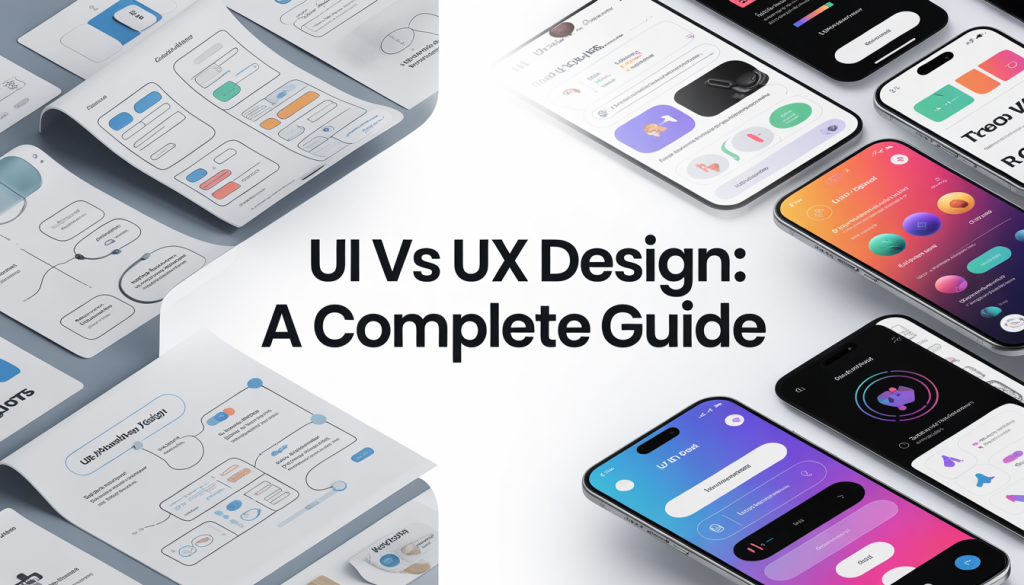
UI (User Interface) and UX (User Experience) are two of the most important aspects of digital product design. Although they frequently work together, their purpose, process, and execution fundamentally differ.
In this guide, we’ll break down UI vs. UX design in a clear, practical, and human way—no jargon overload, no confusing theory. Just real understanding.
What is UX design?
UX design—that stands for User Experience design—is all about how the user feels when they use a product.
It’s all about the overall experience—from the moment the user first clicks an app or opens a webpage until they achieve their goal (e.g., booking a ticket, buying a product, reading an article, etc.).
UX Design’s main goal:
Make the experience useful, easy, and pleasant.
What a UX designer does:
UX designers are all about the architecture and flow of a product. Their work includes:
Conducting research and understanding the user’s needs.
Building up user personas.
Designing the user journeys and the user flow.
Wireframing (basic outlines/layouts of the page).
Testing usability and improving the experience.
Let’s imagine ordering food through an app: UX design has to make sure that…
It is easy to find the restaurants you are looking for.
The search filters are actually functional.
It’s simple and fast to place an order.
The user does not find themselves in any confusion along the process.
The fact that ordering food online is so easy is due to good UX design.
What is UI Design?
2 UI Design “It’s all about the visuals.” What is UI Design? UI, or user interface, Design concerns itself with how the product looks and feels visually. It is about the visual elements of an interface, such as buttons, colors, fonts, spacing, and icons. Goal of UI Design To ensure the interface looks visually appealing, interactive, and consistent across the product. What UI Designers Do Designers are primarily responsible for the presentation layer of an interface, which includes Designing screen layouts and structure Selecting colour schemes and fonts Designing visual elements like icons and buttons Maintaining visual consistency across the entire interface Designing the interactive element (e.g., hover effects, animations, transitions) Example of UI design For the food delivery app: What the “Order Now” button looks like What the menu fonts look like How the items are spaced What happens when you add an item to the cart? This all falls under UI design. UI vs UX Design The Basic difference to understand is that… UX is how the product functions. UI is how it looks … And if you want a slightly deeper breakdown of the differences: Characteristic UX Design UI Design Primary Focus User journey and user experience Visual design and interface Design Goal Ensuring the product is usable and satisfying for users Aesthetically pleasing and easy-to-navigate Interface Designers Work Types Research, structuring, testing Design, branding, styling Tools Wireframes, prototypes Visual design tools Sketch and Adobe XD What ui and UX designers Produce A seamless user flow A visually engaging interface
How UI and UX Work Together
It’s not UI vs. UX; they work together!
Imagine UX as the house plan: the layout, the function of each room, real-life Example: Website Experience the placement of doors and windows.
And UI is the interior design: the color of the walls, the furniture, and the lighting fixtures.
A good UX design with bad UI design would make your house look bland and uninviting.
A good UI design with bad UX design would make your house look magnificent but be hell to live in.
Great digital products balance both.
Real-Life Example: Website Experience
An example of visiting an e-commerce website:The digital world is moving at a lightning speed, which makes it important to know what UI vs UX Design is all about for those looking into web designing, app development, and digital marketing. Unlike before, companies are no longer competing based on the products or services they sell, but on the experience they offer to their customers.
In simple terms:
UI (User Interface) – it is what the users see
UX (User Experience) – it is how users feel about your product/service
In 2026, it is not only important to have a well-designed interface for a product but users will expect a smooth flow, faster loading speeds, and an easy-to-use interface. This is where UI vs UX Design come into the picture.
- What is UI Design?
UI Design or User Interface Design is all about how the elements of your product look. This includes each and every component a user interacts with when they view the interface. The different components of UI Design include:
Buttons
Color schemes
Typography
Layout Design
Icons and Images The job of the UI designer is to create a clean, user-friendly interface that will not only make the product appealing but also reflect the identity of the brand. The Goal of UI Design is:
To design a unique, attractive and engaging user interface that captivates the user. Example: When you see a mobile app, if you are attracted by its color schema and clean layout then you have seen the power of UI Design. - What is UX Design?
UX Design, or User Experience Design is concerned with how a user will feel interacting with your product, focusing on aspects such as ease of use, accessibility, and usefulness. The different components of UX Design include:
User Research
Information Architecture
Wireframing and Prototyping
Usability Testing The task of UX Designers is to solve the users’ problems and ensure that they can find what they are looking for through an easy navigation flow. The Goal of UX Design is:
To ensure the best possible experience for the users that makes the product efficient, effortless, and enjoyable. When considering UI vs UX Design, UX plays a crucial part in how likely users will return to your platform or depart from it instantly. - Key Differences between UI and UX
The difference between UI vs UX design will always help businesses design better products and services.
FeatureUI DesignUX Design
FocusVisual AppearanceUser Experience
GoalAttractive InterfaceSmooth Usability
WorkColors, Fonts, LayoutsUser Journey and flow
ToolsFigma, Adobe XDResearch & testing tools
OutputInterface DesignOverall Experience Analogy:
UI = Color of the car
UX = Driving the car
Both are extremely vital when you are considering UI vs UX Design. - How do UI and UX work together?
UI vs UX are two different things that work together to design a comprehensive user experience.
UX begins with research and planning
UI provides the visual form to the plan. Example:
A website may be designed very attractively, making it have a strong UI, but the user would still move away if they cannot find what they are looking for, thus making the UX weak.
Similarly, the best working and functional website might not attract users if its interface looks outdated, losing trust for the product/service and the UX is weak.
A perfect UI vs UX design balance is the only way to create both an attractive and useful product. - Importance of UI vs UX Design in 2026
In 2026, users’ expectations are higher than they have ever been. A website that is poorly designed can cause users to lose interest instantly. Why UI vs UX Design is important?
Improve user engagement
Increase conversion rates
Reduce bounce rates
Increase credibility
Enhance SEO performance
Search engines such as Google have made user experience a ranking factor for web pages, which highlights the increased importance of UI vs UX Design.
- Popular UI/UX tools in 2026
Modern designers depend heavily on user-friendly tools to make great designs for user experience. Tools for UI Design:
Figma
Adobe XD
Sketch Tools for UX Design:
Hotjar
Google Analytics
Maze
Figma is a highly preferred tool due to its real-time collaboration feature, making it ideal for the design workflow of UI vs UX Design.
- Career scope of UI vs UX Design
There is an exponential growth of UI/UX designers all around the world and the career scope is booming. Salary prospects of UI/UX designers:
Entry level: 5k-10k per year (3-6 LPA India)
Experienced: 20k per year onwards (10-20 LPA India)
Opportunities available:
Web & app design
Product Design
Freelancing
Startups and Tech Companies
If you are willing to build your career in UI vs UX design then 2026 would be a great year for you.
Conclusion
Understanding UI vs UX Design is an extremely important aspect of designing any digital product and will contribute to a successful business in 2026. While UI is related to how a product looks, UX is related to how it performs. A truly good product not only looks good but is easy to use, fast, and reliable.
No matter if you are a business owner, developer, or an aspirational designer, putting in extra effort towards learning UI vs UX Design will be rewarded with positive outcomes. Final Thought
“UI attracts customers, while UX keeps them”.
Common Mistakes to avoid
There are a number of beginner mistakes when talking about UI vs UX design:
Always focusing on visual appearance
Ignoring user research
Overloading the product design
Forgetting to optimize for mobile
Weak navigation structure Pro Tip:
User needs must be the priority in any design task.
Good UX:
- Can locate product information rapidly
- The search is effective
- The purchasing procedure is simple and not confusing
- Pages download quickly
Good UI: - A neat design
- Appealing product images
- Obvious and easy-to-find buttons
- Appeasing color scheme
When both UX and UI are satisfactory, the customer stays longer and the transaction is made
Skills Required for UX Designers
UX design is more analytical, more research-driven.
Key Skills:
User research & interviews
Problem-solving
Information Architecture
Wireframing & Prototyping
Usability Testing
Empathy & Understanding the User
UX designers think in depth about user behavior & psychology.
Skills for UI Designers
UI design is more creative and visual.
Key Skills:
Visual design principles
Typography & Color theory
Layout & spacing
Design systems
Interaction design
Creative & detail-oriented
UI designers add the character to a product.
Tools Used in UI and UX Design
Although there are overlaps in certain aspects, different tools are utilized for different functions of each role.
UX Tools
- Wireframing tools
- Prototyping software
- User testing platforms
- Research tools
UI Tools
- Visual design software
- Animation tools
- Design systems
- Style guides
A lot of the commonly used tools tend to offer a platform that is integrated for both UI and UX design so that the design team can work closely with othersIn today’s fast-paced digital world, understanding UI vs UX Design is essential for anyone involved in website development, app creation, or digital marketing.
Businesses are no longer competing only on products or services—they are competing on user experience.
Simply put, UI is what users see, while UX is how users feel while interacting with a product..
Career Path: UI vs UX Design
Both UI and UX design are booming fields with career opportunities.
UX Designer career paths:
UX researcher
UX designer
Product designer
UX strategist
UI designer career paths:
UI designer
Visual designer
Interaction designer
Motion designer
Often many designers transition into product design, which encompasses both UI and UX.
Salaries and demand:
Globally both UI designers and UX designers are in high demand.
UX designers have slightly higher pay due to more strategic input
UI designers are equally critical to the branding and user experience
Companies in high-tech environments are very eager to hire a designer that encompasses both fields
Which One Should You Choose?
It depends on who you are and what you like to do.
Why pick UX if…
You love problem-solving?
You enjoy research and analysis?
You think from the user’s point of view?
You are driven by logic rather than aesthetics?
Why pick UI if…
You are creative and love design?
You get excited about colors and layout?
You have a sharp eye for aesthetics?
You want to create appealing interfaces?
Or if you pick both…
Many designers learn both UI and UX today. This gives you greater flexibility.
Common Misunderstandings
- UI and UX are the same
They are not the same; rather two complementary disciplines.
- UX is for websites only
UX designs are for applications, web, software, even tangible products and services.
- UI is for visual design only
It involves use of ccolorand layout. The goal is for people to find the product easy to use.
Why UI and UX Matter More Than Ever
There are thousands of products and services to choose from in the modern digital environment.
Users will only try to understand your product if it is intuitive and ppleasing;if it is not,they will immediately switch to something else.
Nice UI and UX result in:
Higher satisfaction
Better user engagement
Higher conversion rate
Better brand trust
Final Thoughts
UI & UX design are flip sides of a single coin. One impacts the way a product functions, while the other impacts the way it appears.
Without both, a digital product cannot create a truly excellent user experience.
If you are a business owner or budding designer or just want to know, learning how UI and UX differ allows you to see a product with a greater scope and in a more effective way.
Ultimately, outstanding design is neither just a thing of beauty nor of pure logic—but of creating a user experience that people love to interact with.
In a nutshell:
UX makes it work. UI makes it beautiful. Together, they make it unforgettable.